
When people search for VPC meaning, they’re usually trying to understand one of the most important concepts in cloud computing.
VPC stands for Virtual Private Cloud, and it refers to a private, secure network environment created inside a public cloud platform like AWS (Amazon Web Services), Google Cloud, or Microsoft Azure.
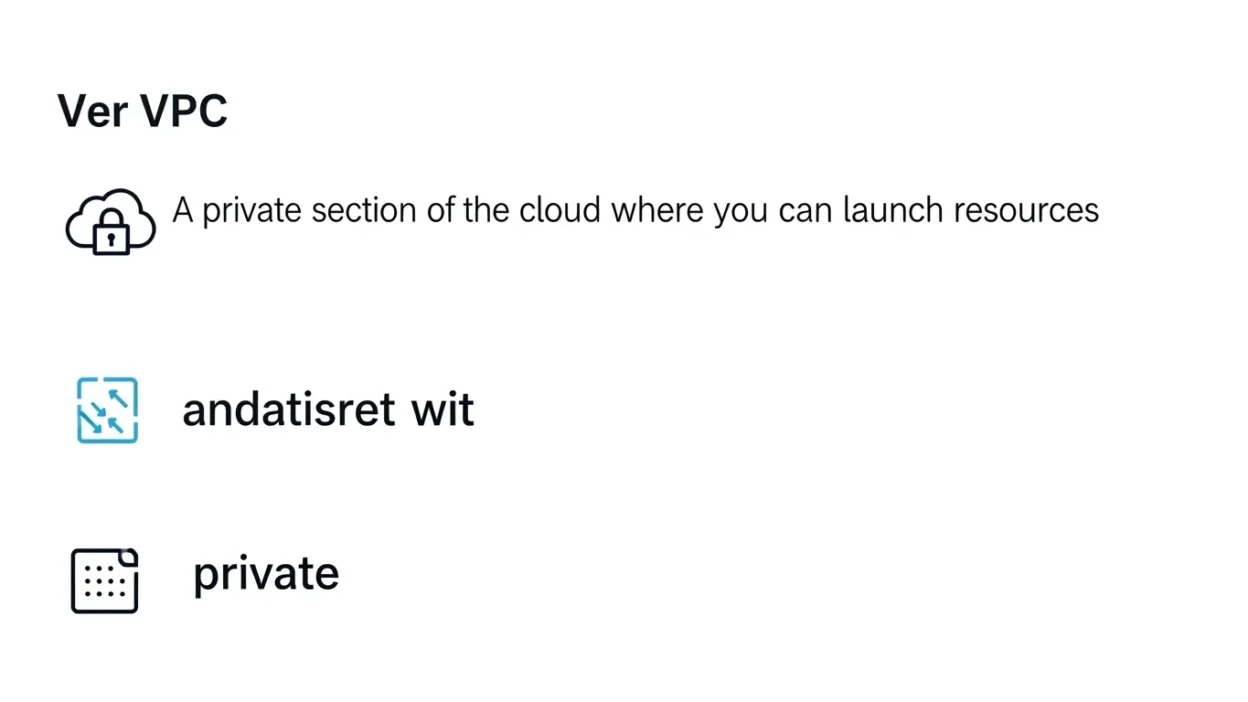
In simple terms, a VPC is like your own private section of the cloud where you can launch servers, databases, and applications while controlling security, IP addresses, and network traffic.
It allows businesses to build cloud infrastructure that feels similar to an on-premise network but with better scalability and flexibility.
Whether you’re a beginner learning AWS or preparing for a cloud certification, understanding what a VPC is and how it works is essential.
In this guide, we’ll explain the meaning of VPC, its key components, and why it’s widely used in modern cloud networking.
What Does VPC Mean?
VPC stands for Virtual Private Cloud, and it is a fundamental concept in cloud computing. At its core, a VPC is a logically isolated network within a public cloud, giving you full control over your virtual environment. Think of it as your own private neighborhood inside a massive cloud city, where you decide who can enter, which roads connect different houses, and how data flows safely between resources.
The “virtual” part of VPC means it exists in the cloud rather than on physical hardware you own. The “private” aspect ensures that only resources within your VPC or those explicitly allowed can communicate with each other. Finally, the “cloud” signifies that this private network lives on a public cloud provider like AWS, Google Cloud, or Azure, allowing you to leverage scalable cloud resources without investing in physical infrastructure.
In practical terms, a VPC allows you to launch servers (EC2 instances), databases, and applications in a controlled network environment. You can define subnets, assign IP ranges, set up firewalls (security groups), and manage traffic routing. This level of control makes VPCs ideal for businesses that need secure, flexible, and scalable cloud infrastructure.
Understanding VPC meaning is essential for anyone working with cloud services. It not only provides a secure environment for resources but also lays the foundation for advanced cloud networking concepts, such as VPC peering, VPN connections, and private endpoints, which we’ll explore in later sections.
What Is a Virtual Private Cloud (VPC)?
A Virtual Private Cloud (VPC) is a private, isolated section of a public cloud where you can deploy and manage cloud resources securely. While the physical infrastructure is shared with other users, a VPC gives you logical separation, meaning your resources servers, databases, storage are isolated from other tenants in the cloud. This isolation allows you to control who accesses your network and how data flows within it.
In essence, a VPC combines the benefits of a traditional on-premises network with the scalability and flexibility of the cloud. You can define IP address ranges, create subnets, attach internet gateways for public access, or keep certain resources private to enhance security. This flexibility enables businesses to design network architectures tailored to their applications’ needs.
A typical VPC includes both public and private subnets. Public subnets host resources that need internet access, like web servers, while private subnets contain sensitive components, such as databases, that should remain hidden from the public. You can also use security groups and network ACLs to define rules that control inbound and outbound traffic for each resource.
Cloud providers like AWS, Google Cloud, and Azure offer VPC services, each with additional features like VPC peering, endpoints, and VPN connections. By understanding what a VPC is and how it functions, beginners and professionals alike can build secure, highly available cloud environments while taking full advantage of cloud scalability.
VPC Meaning in AWS (Amazon Web Services)
In AWS (Amazon Web Services), a VPC or Virtual Private Cloud is a logically isolated network that allows you to launch and manage AWS resources in a secure and customizable environment. AWS VPC provides the foundation for almost all cloud networking within AWS, giving you full control over IP addressing, subnets, route tables, and network gateways.
When you create a VPC in AWS, you define a CIDR block, which is the IP address range for your network. Within this VPC, you can create multiple subnets, both public and private, depending on whether your resources need internet access. For instance, a public subnet might host a web server accessible to users, while a private subnet could store databases or backend applications that remain isolated from the internet.
AWS also provides tools like security groups and network ACLs to control traffic at both the instance and subnet levels. Security groups act as virtual firewalls for instances, while network ACLs protect subnets with additional traffic rules. Moreover, AWS VPC supports advanced features such as VPC peering, which connects different VPCs securely, and VPC endpoints, which allow private access to AWS services like S3 without using the public internet.
A key advantage of AWS VPC is that it combines the security and isolation of a traditional data center with the scalability and flexibility of the cloud. By understanding how AWS implements VPCs, beginners and cloud professionals can design secure, highly available architectures that meet the needs of modern applications.
How Does a VPC Work?
A VPC (Virtual Private Cloud) works by creating a private, isolated network environment within a public cloud, allowing you to control how resources communicate and access the internet. Think of it as building your own secure neighborhood in the cloud, where you decide which “roads” connect different servers, databases, and applications.
When you set up a VPC, you start by defining a CIDR block, which determines the range of IP addresses available for your resources. Within this network, you create subnets smaller segments of the VPC. Subnets can be public, for resources that need internet access, or private, for sensitive components like databases that should remain isolated.
Traffic within a VPC is controlled using security groups and network ACLs. Security groups act as instance-level firewalls, allowing or blocking traffic to specific resources, while network ACLs act as subnet-level firewalls, controlling traffic entering or leaving the subnet. This layered security ensures that your resources are protected from unauthorized access.
For public-facing resources, you attach an Internet Gateway (IGW), enabling communication with the internet. Private resources can access the internet securely through a NAT Gateway or NAT instance without exposing them directly.
AWS also supports VPC peering and endpoints, which allow secure communication between VPCs or private access to services like S3. By combining subnets, routing tables, gateways, and firewalls, a VPC gives you complete control over network traffic, security, and resource access, making it a critical component for building reliable and secure cloud infrastructure.
Key Components of a VPC
A VPC (Virtual Private Cloud) consists of several essential components that work together to create a secure and flexible cloud network. Understanding these components is crucial for designing and managing AWS or cloud-based infrastructure effectively.
1. Subnets: Subnets divide a VPC into smaller network segments. Public subnets host resources that need internet access, like web servers, while private subnets store sensitive resources such as databases. Subnets help organize resources and control traffic flow.
2. Route Tables: These define how traffic moves within a VPC and between subnets or the internet. Each subnet is associated with a route table that directs traffic based on destination IP addresses.
3. Internet Gateway (IGW): An IGW connects your VPC to the internet. Resources in a public subnet can communicate with the internet only if the VPC has an attached IGW.
4. NAT Gateway / NAT Instance: NAT allows private subnets to access the internet for updates or patches without exposing resources publicly. NAT Gateway is a managed AWS service, whereas NAT Instance is a self-managed option.
5. Security Groups: These act as virtual firewalls for instances, controlling inbound and outbound traffic at the resource level. Security groups are stateful, meaning responses to allowed traffic are automatically permitted.
6. Network ACLs (NACLs): NACLs provide subnet-level security and are stateless, requiring explicit rules for inbound and outbound traffic.
7. Elastic IPs and DHCP Options: Elastic IPs provide static public IP addresses, and DHCP options allow customization of DNS and network settings.
Together, these components give you complete control over IP addressing, traffic routing, and security, making the VPC a highly flexible and secure networking solution.
Public Subnet vs Private Subnet
In a VPC (Virtual Private Cloud), subnets are the building blocks that divide the network into smaller segments, and they are typically classified as public or private based on their accessibility to the internet. Understanding the difference is essential for designing secure and efficient cloud architectures.
A public subnet is connected to the Internet Gateway (IGW), allowing resources within it, such as web servers or load balancers, to communicate directly with the internet. This makes public subnets ideal for hosting applications or services that need to be publicly accessible. For example, a company’s website or API server would usually reside in a public subnet to allow user access from anywhere in the world.
On the other hand, a private subnet is not directly accessible from the internet. Resources in a private subnet, such as databases, application servers, or backend services, remain isolated and can only communicate with the internet through a NAT Gateway or NAT instance in a public subnet. This setup ensures sensitive data remains protected while still allowing the servers to download updates or patches securely.
By using both public and private subnets, organizations can implement a layered security approach. Public-facing resources handle internet traffic, while private resources remain shielded, reducing the attack surface. This separation also enables better traffic control, performance optimization, and compliance with security standards.
In short, public subnets expose resources to the internet, while private subnets protect critical components within the VPC, forming the foundation of a secure and scalable cloud architecture.
Route Tables and Internet Gateway
In a VPC (Virtual Private Cloud), controlling network traffic is crucial, and this is primarily achieved through route tables and an Internet Gateway (IGW). Both components work together to direct data between subnets, the internet, and other network destinations.
A route table is essentially a set of rules, or “routes,” that determine where network traffic should go. Each subnet in a VPC is associated with a route table. For example, a route table for a public subnet typically includes a route that directs traffic destined for the internet (0.0.0.0/0) to the Internet Gateway, enabling public access. Private subnets, on the other hand, often have route tables pointing traffic to a NAT Gateway or NAT instance, allowing secure internet access without exposing the subnet directly. Route tables can also manage traffic between different subnets or VPCs, especially when using VPC peering.
An Internet Gateway (IGW) is a horizontally scaled, redundant AWS component that connects the VPC to the internet. Resources in a public subnet can only communicate with the outside world if the IGW is attached to the VPC and properly referenced in the subnet’s route table. Without an IGW, even public subnets cannot reach the internet.
Together, route tables and the Internet Gateway provide full control over traffic flow, ensuring that data reaches its intended destination while maintaining security. By strategically configuring routes and gateways, you can isolate sensitive resources in private subnets while allowing public access to necessary services, achieving both security and accessibility within your VPC.
NAT Gateway / NAT Instance
In a VPC (Virtual Private Cloud), resources in private subnets cannot directly access the internet for security reasons. However, these resources, like databases or application servers, often need to download updates, patches, or access external services. This is where a NAT (Network Address Translation) Gateway or NAT Instance comes into play.
A NAT Gateway is a fully managed AWS service that allows instances in private subnets to initiate outbound internet traffic while preventing unsolicited inbound connections from the internet. It is highly scalable, reliable, and easy to maintain, making it the preferred choice for most AWS architectures. NAT Gateways also provide better performance and availability compared to NAT instances, as they are managed by AWS and can handle larger volumes of traffic.
A NAT Instance, on the other hand, is an EC2 instance configured to perform NAT. While it allows outbound internet access for private subnets, it requires manual management, such as patching, scaling, and monitoring. NAT instances are less scalable and can become a bottleneck if traffic increases, but they provide more customization for advanced network configurations.
The key principle is that private subnets remain secure and hidden from the internet, while still being able to communicate outward safely. By using NAT (Gateway or Instance), organizations can maintain a layered security approach, ensuring sensitive resources are protected while still accessing necessary internet services.
In short, NAT Gateways and NAT Instances bridge the gap between private subnets and the internet, combining security with functionality in a VPC network.
Security Groups and Network ACLs
In a VPC (Virtual Private Cloud), security is one of the most critical aspects, and it is primarily managed using Security Groups and Network Access Control Lists (NACLs). Both serve as firewalls, but they operate at different levels and have distinct characteristics.
Security Groups act as instance-level firewalls. They control inbound and outbound traffic for individual resources, such as EC2 instances, databases, or load balancers. Security groups are stateful, which means if an incoming request is allowed, the response is automatically permitted, and vice versa. For example, if a security group allows inbound HTTP traffic on port 80, responses to that traffic are automatically allowed without creating separate rules. This makes them simpler and highly flexible for resource-level security.
Network ACLs (NACLs), on the other hand, operate at the subnet level. They are stateless, which means that inbound and outbound traffic rules are evaluated separately. NACLs can be used to provide an additional layer of security by explicitly allowing or denying traffic to and from an entire subnet. For example, a NACL can block a specific IP range from accessing all instances in a subnet while still allowing other traffic.
By using both security groups and NACLs, organizations implement a layered security model. Security groups handle fine-grained, resource-specific access, while NACLs enforce broader subnet-level rules. This combination ensures that resources in a VPC remain protected against unauthorized access while allowing legitimate traffic to flow efficiently.
Overall, security groups and NACLs work together to safeguard your VPC, providing both flexibility and robust protection for your cloud network.
Elastic IPs and DHCP Options
In a VPC (Virtual Private Cloud), Elastic IPs and DHCP Options are important components that help manage network addressing and connectivity. Both play a key role in ensuring that resources are accessible and properly configured within the VPC.
Elastic IPs (EIPs) are static public IP addresses that you can assign to resources like EC2 instances or NAT gateways. Unlike regular public IPs, which may change when an instance is stopped or restarted, an Elastic IP remains constant, ensuring reliable access from the internet. For example, if you host a web server that requires a permanent IP for DNS mapping, assigning an Elastic IP guarantees users can always reach the server at the same address. AWS allows you to associate, disassociate, or move Elastic IPs between instances, offering flexibility and control.
DHCP Options Sets allow you to configure automatic network settings for resources launched in your VPC. Using DHCP (Dynamic Host Configuration Protocol), you can define parameters such as DNS servers, domain names, and NTP servers. These options are automatically applied to instances when they launch, reducing manual configuration and ensuring consistency across your network. For instance, you can set up a private DNS server for internal name resolution, which is especially useful in large VPC environments.
Together, Elastic IPs and DHCP Options enhance the functionality of your VPC. Elastic IPs provide stable external connectivity, while DHCP options ensure consistent internal network configuration. By leveraging these tools, you can maintain reliable communication, simplify network management, and support both public-facing and internal cloud applications effectively.
VPC Peering Meaning (Connecting Two VPCs)
VPC Peering is a feature in cloud networking that allows two Virtual Private Clouds (VPCs) to communicate with each other privately, as if they were part of the same network. This is especially useful when organizations need to share resources across different VPCs without exposing traffic to the public internet.
With VPC peering, resources in one VPC, such as EC2 instances or databases, can securely communicate with resources in another VPC using private IP addresses. This eliminates the need for public IPs or VPN connections between the VPCs, enhancing security and reducing latency. For example, a company might have a development VPC and a production VPC. By establishing a VPC peering connection, developers can access test databases in the production VPC without exposing them to the internet.
VPC peering is non-transitive, meaning if VPC A is peered with VPC B, and VPC B is peered with VPC C, VPC A cannot automatically communicate with VPC C. Each peering connection must be created individually and approved by both VPC owners.
AWS VPC peering also supports cross-region connections, enabling secure communication between VPCs located in different geographical regions. This is beneficial for businesses with global operations that require low-latency, secure data transfer.
In summary, VPC peering provides a private, secure, and high-performance connection between two VPCs. It allows organizations to scale their cloud networks efficiently while maintaining strict security boundaries and avoiding the risks associated with public internet exposure.
VPC Endpoints (Private Access Without Internet)
A VPC Endpoint is a powerful feature in a Virtual Private Cloud (VPC) that allows resources in your VPC to securely access AWS services without traversing the public internet. This enhances both security and performance, especially for sensitive workloads.
There are two main types of VPC endpoints: Gateway Endpoints and Interface Endpoints.
1. Gateway Endpoints: These are primarily used for AWS services like Amazon S3 and DynamoDB. By configuring a gateway endpoint, resources in private subnets can access S3 buckets or DynamoDB tables without needing a public IP or an Internet Gateway. Traffic flows entirely within the AWS network, which reduces exposure to the internet and improves security.
2. Interface Endpoints: These use Elastic Network Interfaces (ENIs) with private IP addresses to connect to other AWS services, such as EC2 API, SNS, or SQS. Interface endpoints provide private, scalable, and secure connections while keeping traffic inside the AWS network.
The main benefit of VPC endpoints is that they eliminate the need for NAT gateways or public IPs for accessing AWS services, reducing cost and complexity. They also help meet compliance requirements for workloads that cannot send data over the public internet.
For example, if you have a private application server in a private subnet that needs to fetch files from S3, a VPC endpoint allows this communication to happen securely within the AWS cloud, without exposing the server or the data to the internet.
In short, VPC endpoints provide private, secure, and cost-effective access to AWS services, making them an essential tool for secure cloud architectures.
VPC vs VPN (Important Comparison)
Although VPC (Virtual Private Cloud) and VPN (Virtual Private Network) are both related to networking, they serve different purposes and operate at different levels. Understanding their differences is crucial for designing secure cloud architectures.
A VPC is a private, isolated network within a public cloud, such as AWS, Google Cloud, or Azure. It allows you to launch resources like servers, databases, and applications in a controlled environment. You define subnets, route tables, security groups, and access rules to manage how resources communicate with each other and the internet. Essentially, a VPC provides network isolation, security, and flexibility within the cloud.
A VPN, on the other hand, is a secure encrypted connection that links two networks over the public internet. VPNs are often used to connect an on-premises data center to a cloud VPC (site-to-site VPN) or to allow individual users to securely access a network remotely (client VPN). Unlike VPCs, VPNs do not create a private network themselves; instead, they secure traffic between two networks.
Key differences:
- Purpose: VPC isolates cloud resources; VPN secures communication over the internet.
- Scope: VPC is a cloud network; VPN is a connection between networks.
- Security: VPC uses security groups and NACLs; VPN uses encryption protocols like IPsec.
- Use Case: VPC hosts resources securely in the cloud; VPN connects users or networks to the VPC.
In summary, a VPC is the environment where your cloud resources live, while a VPN is the secure tunnel that allows communication to or from that environment. Both are complementary: VPC provides isolation, and VPN ensures secure connectivity.
Why Is VPC Important? (Benefits of Virtual Private Cloud)
A VPC (Virtual Private Cloud) is one of the most critical components of cloud infrastructure because it provides security, control, and flexibility for your resources. By creating a logically isolated network within a public cloud, organizations can design environments that meet their specific business and security requirements.
1. Enhanced Security: VPCs allow you to control inbound and outbound traffic using security groups and network ACLs, ensuring that only authorized resources can communicate. Sensitive workloads, such as databases or internal applications, can be placed in private subnets, shielded from public access.
2. Customizable Network Architecture: You can define IP address ranges, subnets, routing tables, and gateways, giving complete control over how resources interact within the cloud. This makes it easier to implement complex architectures like multi-tier applications or hybrid cloud setups.
3. Scalability and Flexibility: VPCs let you launch as many resources as needed without worrying about physical hardware. You can expand subnets, add new instances, or connect multiple VPCs through peering as your business grows.
4. Isolation and Compliance: Each VPC is logically isolated, ensuring workloads do not interfere with each other. This isolation is critical for meeting compliance standards like HIPAA, PCI DSS, and GDPR, as sensitive data can be kept separate from public resources.
5. Cost Efficiency: By controlling which resources need public internet access and which remain private, organizations can reduce costs associated with NAT gateways, public IPs, and unnecessary data transfer.
In short, a VPC provides a secure, scalable, and highly controlled network environment, making it an essential building block for modern cloud computing.
Real-Life Example of VPC Architecture
To understand a VPC (Virtual Private Cloud) in practice, consider a common scenario: hosting a web application on AWS. A typical VPC architecture includes both public and private subnets, along with security layers to protect sensitive resources.
In this example, the public subnet contains a web server behind a load balancer. The web server handles requests from users on the internet. Traffic from the load balancer passes through an Internet Gateway (IGW), which allows communication with the outside world. By placing the web server in a public subnet, the application is accessible while still being controlled through security groups.
The private subnet hosts the application’s database and backend services. These resources do not have direct internet access, ensuring sensitive data remains secure. Outbound internet traffic from the private subnet for updates or patches passes through a NAT Gateway in the public subnet, maintaining privacy while allowing necessary communication.
Route tables manage traffic flow between subnets, ensuring requests from the public subnet reach the correct private resources. Additionally, network ACLs provide subnet-level security, and VPC endpoints can be configured to allow private access to services like Amazon S3 without exposing traffic to the internet.
This setup demonstrates how a VPC combines security, accessibility, and scalability. The public subnet handles user-facing services, while the private subnet protects critical components. By controlling traffic flow, IP addressing, and firewall rules, organizations can create robust, secure, and highly available cloud architectures that meet real-world business needs.
Common Use Cases of VPC
A VPC (Virtual Private Cloud) is versatile and widely used across different industries for building secure and scalable cloud networks. Here are some of the most common use cases:
1. Hosting Web Applications: Companies often use VPCs to host websites and web applications. The public subnet can host web servers accessible to users, while the private subnet stores databases or backend services, ensuring sensitive data remains secure.
2. SaaS Platforms: Software-as-a-Service providers use VPCs to isolate client workloads. Each client’s resources can reside in separate VPCs or subnets, maintaining data privacy and compliance while leveraging cloud scalability.
3. Secure Cloud Databases: VPCs allow organizations to run databases in private subnets, shielded from the internet. NAT gateways or VPC endpoints enable secure communication for updates or accessing services like Amazon S3.
4. Hybrid Cloud Architectures: VPCs can connect to on-premises networks via VPNs or AWS Direct Connect, enabling seamless integration of cloud and local infrastructure. This is useful for enterprises gradually migrating to the cloud.
5. Microservices and Container Networking: Modern applications often rely on microservices running in containers. VPCs provide a secure and controlled network for inter-service communication, allowing developers to manage traffic, security, and scaling efficiently.
6. Data Analytics and Big Data Workloads: VPCs enable analytics clusters and data pipelines to process sensitive information securely while accessing cloud storage and compute resources without exposing data to the internet.
In summary, a VPC is essential for any cloud deployment requiring security, isolation, and control, making it a cornerstone for web apps, SaaS, hybrid cloud, and large-scale enterprise solutions.
Common VPC Mistakes Beginners Make
While VPCs (Virtual Private Clouds) provide flexibility and security, beginners often make mistakes that can lead to connectivity issues, security vulnerabilities, or unnecessary costs. Recognizing these pitfalls can help avoid common problems when designing a cloud network.
1. Misconfiguring CIDR Blocks: Choosing overlapping or incorrect CIDR ranges for your VPC or subnets can cause routing conflicts and prevent communication between resources. It’s important to plan IP addressing carefully to allow future scalability.
2. Placing Sensitive Resources in Public Subnets: Beginners sometimes host databases or backend servers in public subnets, exposing them to the internet. Sensitive resources should always be in private subnets with controlled access through security groups and NAT gateways.
3. Incorrect Security Group Rules: Security groups control traffic at the instance level, but misconfigured rules like opening all ports to the internet can create severe security risks. Always follow the principle of least privilege, allowing only necessary traffic.
4. Confusing NACLs and Security Groups: NACLs operate at the subnet level and are stateless, while security groups are stateful at the instance level. Using them incorrectly can block legitimate traffic or leave gaps in security.
5. Forgetting Route Table Configuration: Without proper routes, traffic may not reach the internet, other subnets, or peered VPCs. Always ensure route tables are correctly associated with the intended subnets.
6. Ignoring Multi-AZ Deployment: Not using multiple Availability Zones can lead to downtime if one zone fails. For high availability, distribute resources across AZs.
By avoiding these mistakes, beginners can create secure, efficient, and highly available VPC networks, maximizing the benefits of cloud infrastructure.
Is VPC Free? (Cost Breakdown)
Many beginners wonder whether a VPC (Virtual Private Cloud) itself costs money. The good news is that creating a VPC in AWS is free. You can set up your own isolated network environment without any direct charges. However, while the VPC itself does not incur costs, several associated services and resources within the VPC may generate expenses.
1. NAT Gateways: If your private subnets need internet access, you’ll typically use a NAT Gateway. NAT Gateways are managed services with hourly usage fees and data processing charges.
2. VPN Connections: Site-to-site VPNs or client VPN endpoints connecting your VPC to other networks come with hourly and data transfer costs.
3. Data Transfer: While data transfer within the same Availability Zone is often free, transferring data between AZs, VPCs, or to the internet may incur charges.
4. Elastic IPs: Elastic IPs are free only when attached to a running instance. Unused or unattached Elastic IPs incur additional fees.
5. Other Resources: Instances, databases, load balancers, or VPC endpoints all have separate pricing models, which can add to the total cost depending on usage.
In short, while the VPC itself does not cost anything, the resources and services deployed within it may generate charges. Planning your VPC architecture carefully such as minimizing unnecessary NAT Gateway usage or optimizing data transfer can help reduce costs while maintaining a secure and scalable network.
Understanding these cost factors ensures that you can leverage the full benefits of VPCs without unexpected expenses.
VPC Meaning in Other Fields (Optional)
While VPC is most commonly associated with cloud computing, the acronym can have different meanings in other contexts. Being aware of these variations can help avoid confusion when reading or discussing technical and non-technical topics.
1. Healthcare: In medical or healthcare discussions, VPC sometimes stands for Ventricular Premature Contraction, a type of irregular heartbeat. This usage is entirely unrelated to cloud computing but appears frequently in cardiology literature.
2. Finance and Business: In business or corporate settings, VPC may refer to Value Proposition Canvas, a strategic tool used to align products and services with customer needs.
3. Electronics and Engineering: Occasionally, VPC can mean Voltage Point of Control in engineering contexts, although this is less common.
Despite these alternative meanings, in technology and cloud computing, VPC almost always refers to Virtual Private Cloud. This is the context in which the term is most widely searched, discussed in forums, and applied in professional environments.
When writing articles or discussing VPC, it’s important to clarify the context to avoid confusion. For example, in a cloud computing blog, specifying “VPC (Virtual Private Cloud)” ensures readers understand the topic is about network architecture in cloud platforms like AWS, Google Cloud, or Azure.
In summary, while VPC can have multiple meanings, its most recognized and relevant definition in the tech world is Virtual Private Cloud, which forms the backbone of secure, scalable, and isolated cloud networking environments.
FAQs:
Here are some of the most common questions about VPC (Virtual Private Cloud) and their answers:
1. What does VPC stand for?
VPC stands for Virtual Private Cloud, which is a logically isolated network within a public cloud where you can launch and manage resources securely.
2. What is VPC used for?
A VPC is used to host cloud resources like EC2 instances, databases, and applications in a secure environment. It allows control over IP addressing, routing, and security rules.
3. Is VPC only available in AWS?
No. While AWS popularized VPC, other cloud providers like Google Cloud and Azure offer similar services with slightly different names, such as Google Cloud VPC.
4. What is a default VPC?
AWS automatically creates a default VPC for every region in your account. It comes with default subnets, route tables, and an Internet Gateway, allowing beginners to launch resources immediately.
5. What is CIDR in VPC?
CIDR (Classless Inter-Domain Routing) defines the IP address range of your VPC and subnets. It ensures that each resource has a unique private IP address.
6. What is the difference between VPC and subnet?
A VPC is the overall network, while a subnet is a smaller segment of that network. Subnets help organize resources and control traffic flow.
7. What is VPC peering?
VPC peering connects two VPCs privately, allowing resources to communicate using private IPs without exposing traffic to the internet.
8. Is VPC secure?
Yes. VPCs provide isolation, security groups, NACLs, and private subnets, making it a highly secure environment for cloud workloads.
9. Can a VPC connect to the internet?
Yes, by attaching an Internet Gateway or using a NAT Gateway for private subnets.
10. Can I connect my office network to a VPC?
Yes. Using VPN connections or AWS Direct Connect, you can integrate on-premises networks with your VPC for hybrid cloud setups.
These FAQs cover the most common beginner and intermediate questions, helping readers understand VPC quickly and clearly.
Conclusion
Understanding the meaning of VPC (Virtual Private Cloud) is essential for anyone working with cloud computing or planning to deploy resources in platforms like AWS, Google Cloud, or Azure.
A VPC provides a logically isolated, secure, and flexible network environment where organizations can launch servers, databases, and applications while maintaining full control over traffic, IP addressing, and security.
By dividing a VPC into public and private subnets, using route tables, Internet Gateways, NAT Gateways, security groups, and network ACLs, cloud architects can create highly secure and scalable network architectures.
Features like VPC peering, VPC endpoints, and hybrid connectivity via VPNs further extend the flexibility of cloud networks, allowing communication between multiple VPCs or on-premises environments without compromising security.
The benefits of a VPC go beyond security. It enables customizable network design, compliance with industry standards, high availability, and cost optimization. By carefully planning your VPC architecture, avoiding common mistakes, and leveraging advanced features, you can ensure that your cloud infrastructure is both efficient and resilient.
In short, a VPC is the foundation of modern cloud networking. Whether you are a beginner setting up your first AWS instance or an enterprise architect designing a multi-tier application, mastering VPC concepts is crucial.
Understanding its components, configurations, and best practices empowers you to build secure, reliable, and scalable cloud environments, making VPC knowledge a must-have skill for anyone in the cloud computing field.

Welcome to TextFlirtz.com, your ultimate destination for flirty, fun, and clever text messages! Whether you’re looking to break the ice, charm your crush, or keep the sparks alive in your relationship, we’ve got a treasure trove of pick-up lines, flirty texts, and witty messages that make flirting effortless and exciting. Dive in, explore, and let your words do the magic—because at TextFlirtz.com, every message is a chance to flirt smarter, not harder.